Get KimiCue
KimiCue for Windows
KimiCue automatically detects the drop in every track and places 8 hot cues - before, at, and after the drop. No manual marking. No per-track input. Load your Rekordbox library, hit Start, and every track comes out with cues ready to mix.

KimiCue
v1.0.11 - Windows
The full algorithm, your whole library, no track limit. One payment of $29 unlocks it for good - no subscription, and updates are included.
Buy through Whop and your installer and licence key appear in your Whop account straight away.
New to KimiCue?
Follow our step by step guide - covers XML export, running KimiCue, and importing your cue points back into Rekordbox.
Windows Defender SmartScreen
"Windows protected your PC" - how to run anyway
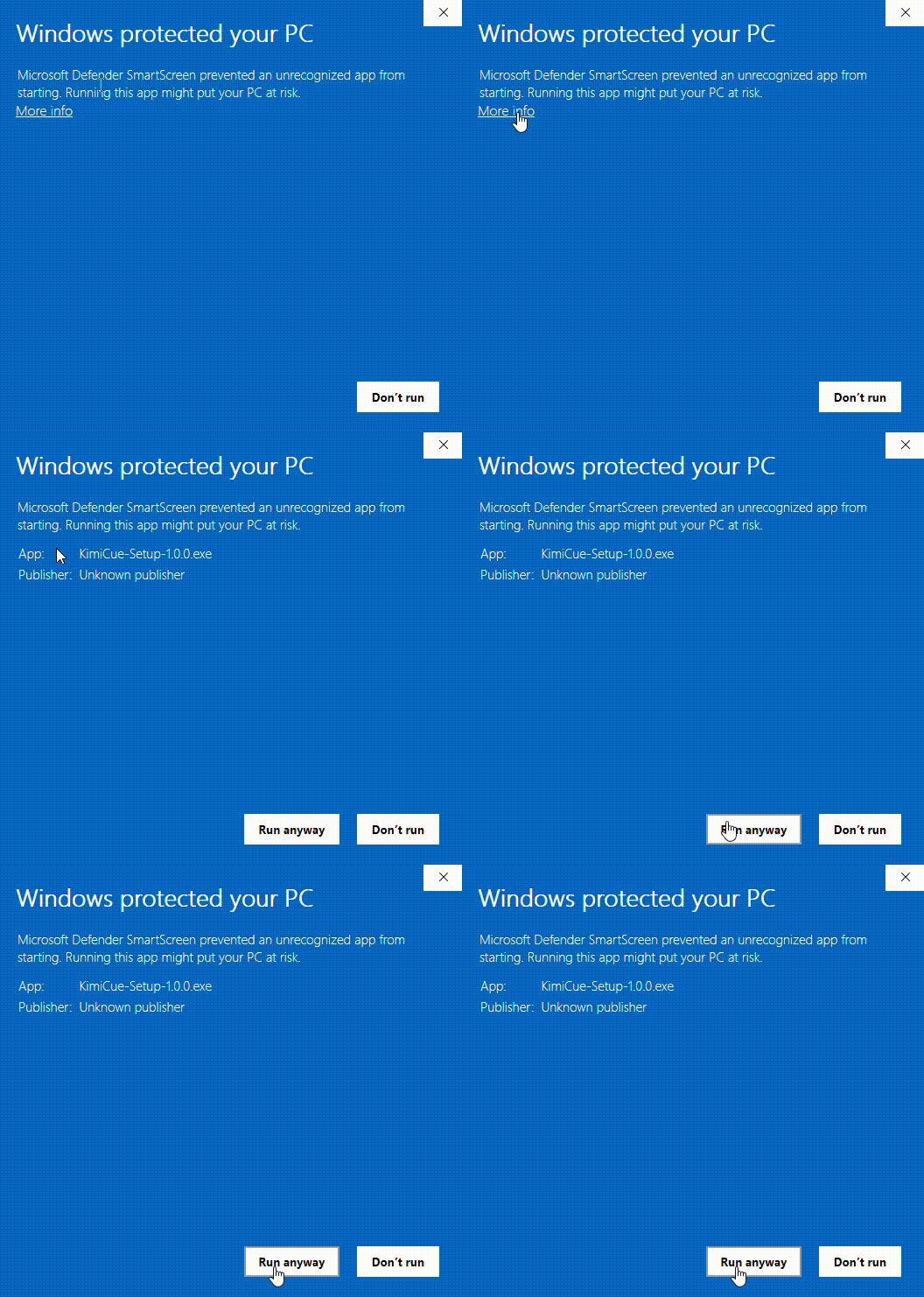
Because KimiCue is a new app, Windows SmartScreen may show a warning the first time you open the installer you downloaded from your Whop account. The file is safe - follow the steps in the GIF below to proceed.
Click More info, then click Run anyway and the installer will start normally.
Coming soon - Microsoft Store. We are working on publishing KimiCue on the Microsoft Store. Once listed there, Windows will recognise it as a trusted app and the SmartScreen warning will no longer appear.
Verify your download
Check the file you downloaded matches the one we published. In PowerShell, run Get-FileHash .\KimiCue-Setup-1.0.11.exe and compare it to the SHA-256 below.
94f20d3ea6d9f63f46e73fafef247ee808c6f961f9dedd207b134eff4d44993d
System requirements
What you get
Everything, for $29 once
One payment, your whole library. Export to Rekordbox, Serato and CDJ memory cues. No subscription, and updates are included.
- Unlimited tracks - whole library in one run
- Serato DJ Pro hot cue export
- Memory cues for CDJ setups
- CSV export
- Priority support